
How to Create an Invoice in 7 Simple Steps
How to Create an Invoice in 7 Simple Steps
You’ve finished the work, delivered the project, and now there’s one last thing standing between you and getting paid: the invoice.
For some business owners and freelancers, invoicing feels unnecessarily complicated. What should you include? Where should the payment terms go? Do you need an invoice number? What if you forget something important?
The good news is that creating an invoice is actually pretty simple once you know the structure.
If you’ve been wondering how to create an invoice that looks professional, clearly explains what the client owes, and makes payment easier, this guide walks you through the process in seven straightforward steps.
1. Add Your Business Information
Start with the basics.
Your invoice should clearly show who is requesting payment. Include your business name, logo if you use one, and your main contact details.
Depending on your business, this may include:
- Business name
- Your name
- Business address
- Email address
- Phone number
- Website
Keep this information easy to spot.
A client should never have to search through the invoice to figure out who sent it.
If you’re a freelancer and don’t operate under a formal business name, using your full name and professional contact information is usually enough.
This section sets the tone for the entire document, so keep it clean and professional.
2. Include Your Client’s Details
Next, add the information of the person or company you’re billing.
This can include:
- Client or company name
- Contact person
- Billing address
- Email address
- Phone number, if relevant
Why does this matter?
Because a properly addressed invoice reduces confusion, especially when you're working with larger companies where multiple people may handle projects, purchasing, and payments.
If your client has given you specific billing information, use it exactly as provided.
The cleaner your invoicing process is, the easier invoice management becomes later.
3. Create a Unique Invoice Number
Every invoice should have its own invoice number.
This sounds like a tiny detail, but it becomes incredibly useful when you're tracking payments, answering client questions, or reviewing your records months later.
Your numbering system doesn't need to be complicated.
You could use something like:
INV-001
INV-002
INV-003
Or you might include the year:
2026-001
2026-002
The important thing is consistency.
Avoid sending several invoices with the same number or using random naming every time.
A simple numbering system makes invoice management much easier, especially as your number of clients grows.
4. Add the Invoice and Due Dates
Every invoice should answer two important questions:
When was this invoice issued?
And when is payment due?
Add an invoice date near the top of the document.
Then clearly state the payment due date.
For example:
Invoice Date: September 8, 2026
Payment Due: September 22, 2026
You can also use payment terms such as:
- Due on receipt
- Net 7
- Net 15
- Net 30
Just make sure the client understands exactly what those terms mean.
A specific due date can often be easier than relying on the client to calculate it themselves.
Clarity is one of the most important parts of learning how to create an invoice properly.
5. List the Products or Services Clearly
Now we get to the heart of the invoice: what are you charging for?
Create a clear breakdown of the products or services provided.
A typical invoice table may include:
Description | Quantity | Rate | Amount |
Website Design | 1 | $800 | $800 |
Homepage Copywriting | 1 | $250 | $250 |
Be specific enough that the client immediately understands the charge.
Instead of writing:
Design Work — $500
Try something clearer:
Social Media Design Package — 10 branded graphics — $500
Good descriptions reduce the chance of payment delays caused by clients asking what a particular charge means.
If you're online invoicing hourly work, show the number of hours and your hourly rate.
For example:
Consulting — 5 hours × $75 = $375
Simple, clear, and easy to verify.
6. Calculate the Total Amount Due
Once you've listed everything, calculate the subtotal.
Then include any applicable:
- Taxes
- Discounts
- Deposits already paid
- Additional fees
Finally, show the total amount due.
Make this number visually obvious.
Your client should be able to open the invoice and immediately see exactly how much they need to pay.
For example:
Subtotal: $1,050
Tax: $84
Deposit Paid: -$300
Total Due: $834
Double-check your calculations before sending the invoice.
A small math error can make your business look less organized and may delay payment while the client asks for a corrected version.
7. Add Payment Instructions and Terms
You’re almost finished.
The last step is telling your client how to pay you.
Include the payment methods you accept, such as:
- Bank transfer
- Credit or debit card
- Online payment platform
- Check
- Digital wallet
If you're providing bank details, make sure they are accurate.
You may also want to include payment terms, such as late payment policies or any agreed conditions from your contract.
For example:
Payment is due within 14 days of the invoice date.
Keep the wording simple.
Your invoice should make payment easier, not create another puzzle for the client.
What Makes a Good Invoice?
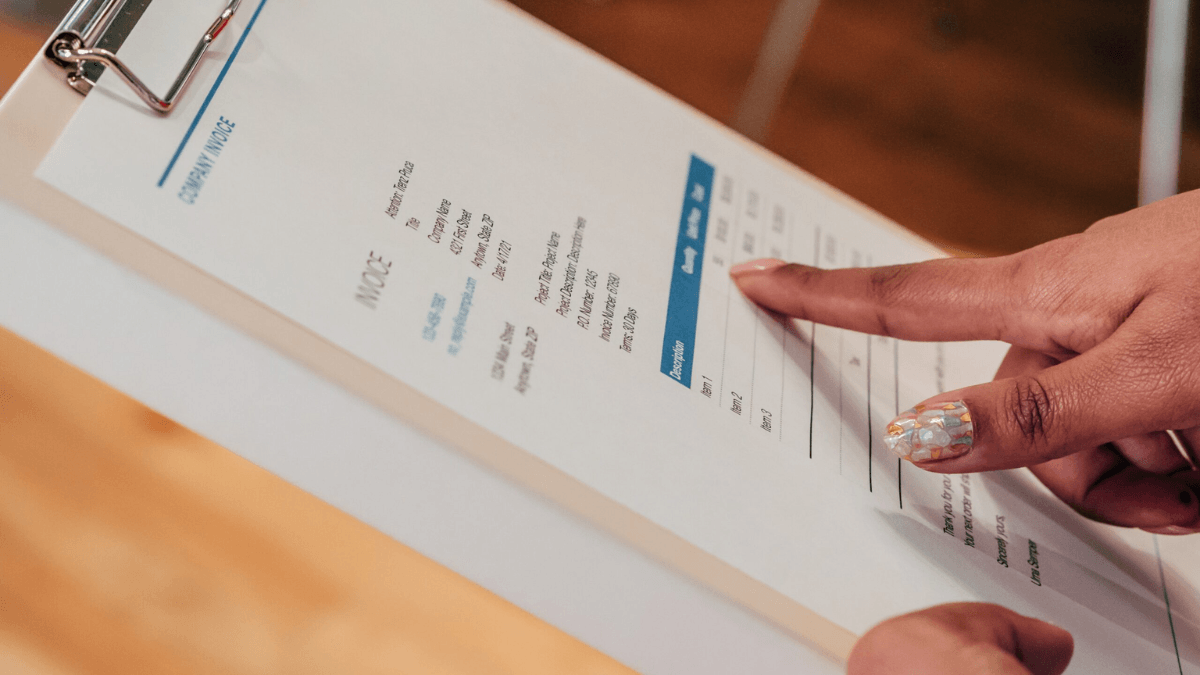
A good invoice isn't just a request for money.
It's a communication tool.
It should tell the client:
Who you are.
What they purchased.
How much they owe.
When they need to pay.
How they can pay.
That’s really it.
Avoid overcrowding the invoice with unnecessary information. A clean layout with clear headings is usually much more effective than a document packed with tiny text.
Why Invoice Management Matters
Creating one invoice is easy.
Managing 50 invoices is where things can get messy.
Good invoice management helps you track which invoices have been:
- Drafted
- Sent
- Viewed
- Paid
- Partially paid
- Overdue
Without a system, it becomes surprisingly easy to forget whether a client paid or whether you even sent the invoice in the first place.
You can manage invoices with accounting software, invoicing tools, spreadsheets, or another system that fits your business.
The best system is the one you can actually maintain consistently.
Set aside time each week to review outstanding invoices and follow up on overdue payments.
Your cash flow will thank you.
Common Invoice Mistakes to Avoid
Even a simple invoice can cause problems if key details are missing.
Try to avoid:
- Forgetting the due date
- Using duplicate invoice numbers
- Sending the invoice to the wrong email
- Giving vague service descriptions
- Forgetting payment instructions
- Making calculation errors
- Waiting too long to send the invoice
One especially common mistake is delaying invoicing.
The longer you wait to send an invoice, the longer you're likely to wait to get paid.
Whenever possible, invoice promptly after completing the agreed work.
Final Thoughts
Learning how to create an invoice doesn't require complicated accounting knowledge.
You simply need a clear structure.
Add your business details, include your client's information, assign an invoice number, show the dates, describe what you're charging for, calculate the total, and provide clear payment instructions.
Once you've created a reliable template, the process becomes even easier.
And as your business grows, having a strong invoice management system will help you stay organized, reduce payment confusion, and keep better track of your cash flow.
A professional invoice does more than say, “Please pay me.”
It makes it easy for your client to do exactly that.
Recent Posts

Aroopa Apps is an AI-powered low-code/no-code platform for building custom business apps, automating workflows, and streamlining business processes faster and smarter.
New Jersey
Aroopa, Inc
111 Union Valley Rd, Suite 206, Monroe Township, NJ 08831
India
Aroopa Technologies Private Limited
No.2, Padmavathi Nagar,
Agraharam Road, Korattur,
Chennai 600076




Aroopa Apps is now on Android & iOS!


Subscribe to Our Newsletter
Copyright © Aroopa Apps 2026